

Manage GatePass users
Invite people to GatePass, choose the hubs they can use, and suspend, sign out, reset two-factor, reset passwords or remove users.
GatePass users are the people who sign in to the extension. They have their own GatePass sign-in (password plus an authenticator app) and don't need a console account.
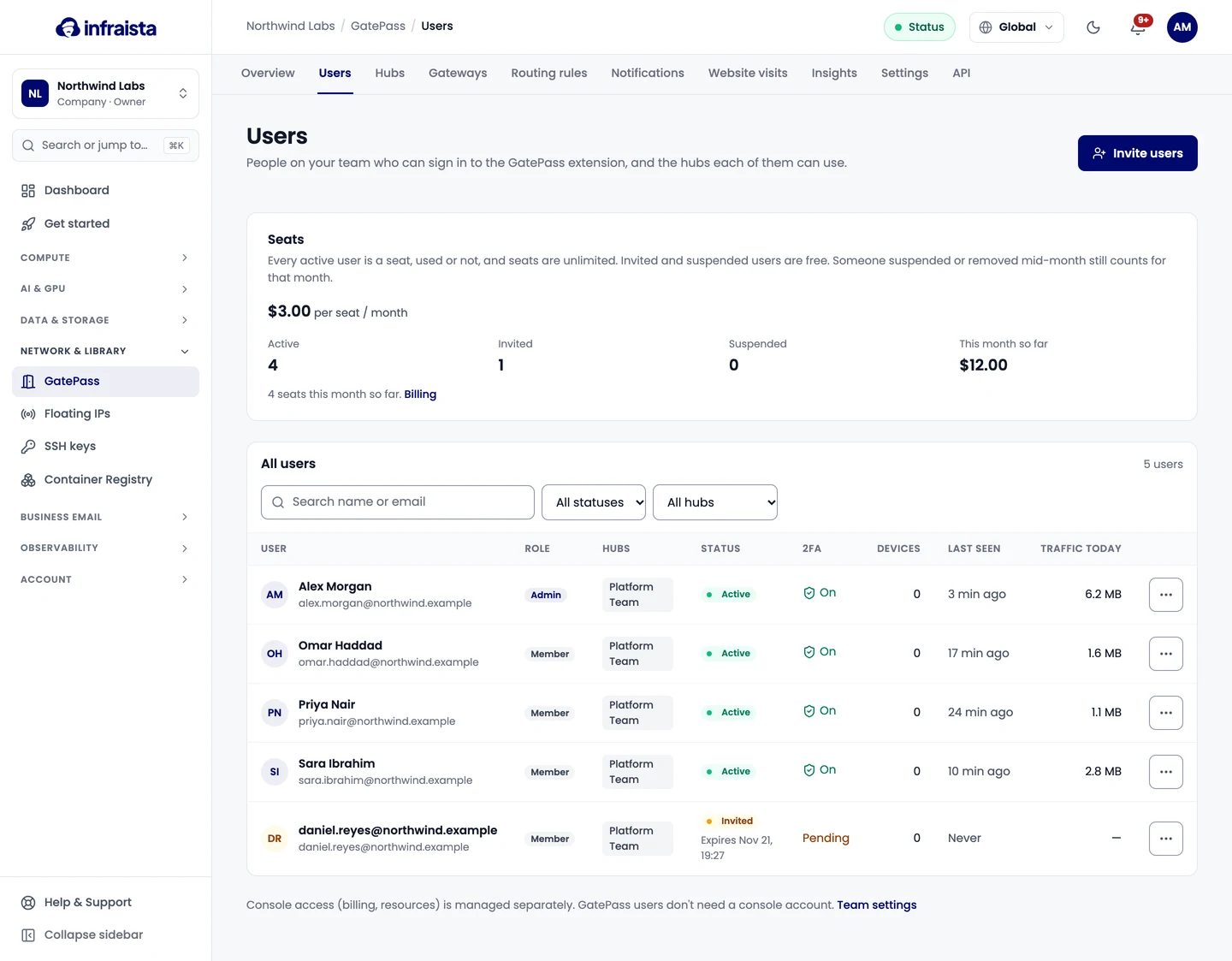
Invite people
- Go to GatePass › Users and select Invite users.
- Enter the Email addresses, pressing Enter after each. Freelancers can use their own email.
- Tick the Hubs they can use. With no hub, their extension routes nothing; you can add hubs later.
- Pick a Role: Member (uses the extension) or Admin (also manages GatePass).
- Choose when the invite expires under Invite expires after, then select Send invite.
Each person gets an email to set a password, turn on two-factor authentication and install the extension. They show as Invited until they finish; resend an invite from their row.
Hub access
Open a user to change Hub access: the extension routes the rules of every hub they can use. Changes apply within a minute.
Help someone who's stuck
| Action | What happens |
|---|---|
| Send reset link | We email them a link to set a new password. It works once and expires in 2 hours. Two-factor stays the same; the new password signs them out everywhere |
| Reset 2FA | Signs them out everywhere and sends a new invite email to set up their authenticator again. Use it if they lost their phone |
| Sign out everywhere | Ends their sessions on every device; open connections stop within a few minutes |
A user's page also lists their Devices & sessions (sign out one browser), their traffic, top sites, recent visits and Sign-in history.
Suspend or remove
- Suspend signs them out everywhere and blocks sign-in until you reactivate them. Their hubs and history are kept.
- Remove user signs them out and deletes their devices. Their past visits stay in the log until they expire. This doesn't touch any console account.
Seats
Every active user is a seat, whether they use GatePass that month or not. Invited and suspended users are free. Someone suspended or removed mid-month still counts for that month, not from the next. See Plans and billing.
Related
Routing rules
Decide which sites each GatePass hub sends through its gateways, exclude sites that should go direct, and pin a site to one gateway with fallbacks.
Use GatePass in your browser
For team members invited to GatePass. Accept the invite, set up two-factor sign-in, install the extension in Chrome, Edge or Brave and sign in.