

Add a gateway
Install the free GatePass Gateway Agent on your own Linux server so routed sites see its IP, and drain, reinstall or remove gateways.
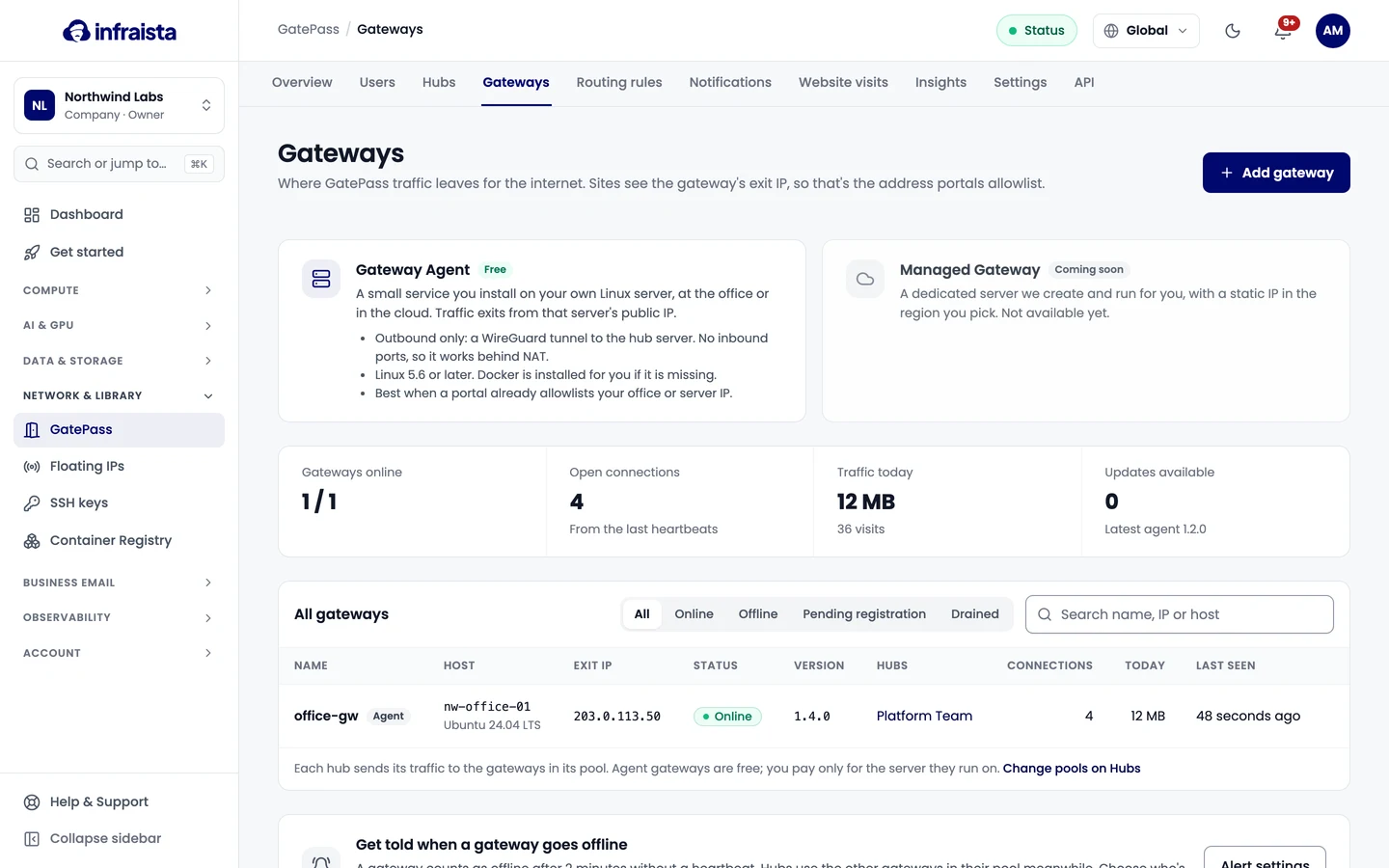
A gateway is where GatePass traffic leaves for the internet. Sites see the gateway's exit IP, so that's the address portals allowlist. The Gateway Agent is a small free service you install on your own Linux server, at the office or in the cloud.
Requirements
| Requirement | Detail |
|---|---|
| Linux 5.6+ | Or an older kernel with the WireGuard module. Docker and the other tools it needs are installed automatically on Ubuntu, Debian and RHEL-family servers |
| Outbound UDP to the hub server | To its WireGuard port (51820 by default) |
| No inbound ports | The tunnel goes out from the server, so it works behind NAT |
| A public IP sites can see | This becomes the exit IP portals allowlist |
| Runs as root | curl, jq, wireguard-tools and iproute2 are installed if missing (apt or dnf) |
Add the gateway
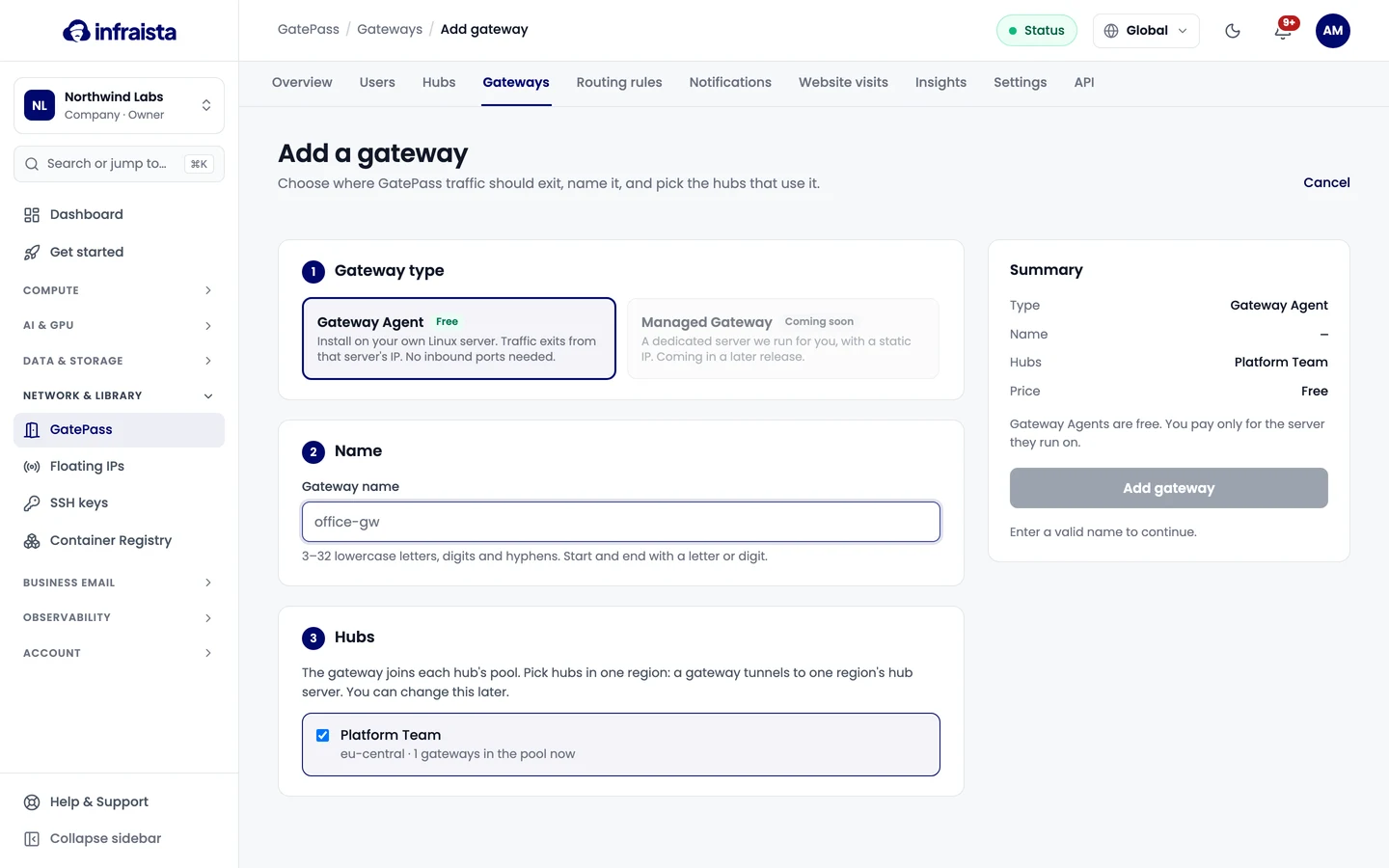
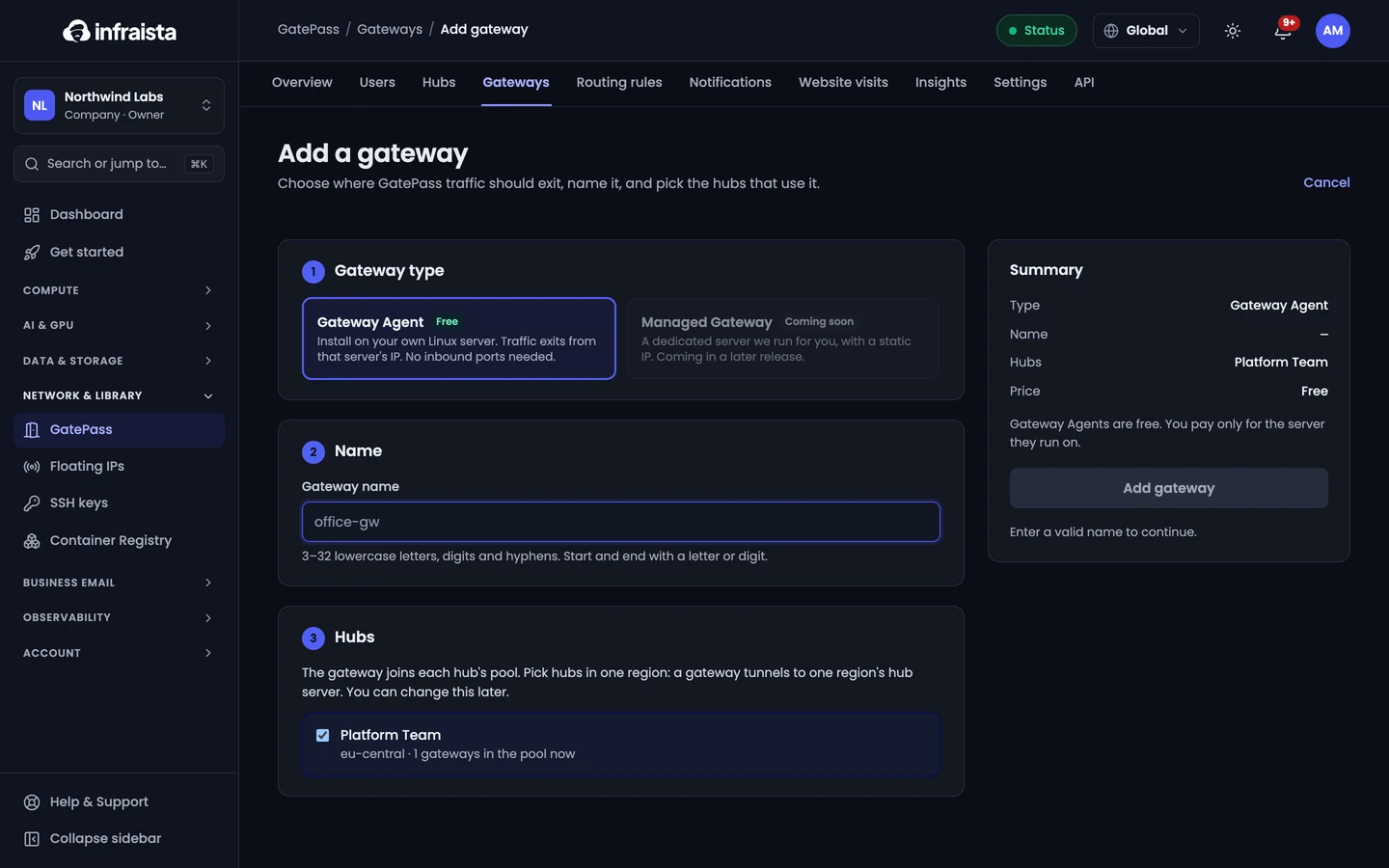
- Go to GatePass › Gateways and select Add gateway.
- Choose Gateway Agent as the type and enter a Name.
- Under Hubs, pick the hubs that use it. The gateway joins each hub's pool. Pick hubs in one region: a gateway tunnels to one region's hub server.
- Select Add gateway.
- Copy the Install command (Linux) and run it as root on the server traffic should exit from.
The token in the command is shown once and works once. Copy it now; if it expires, select New token to make another (the previous one stops working).
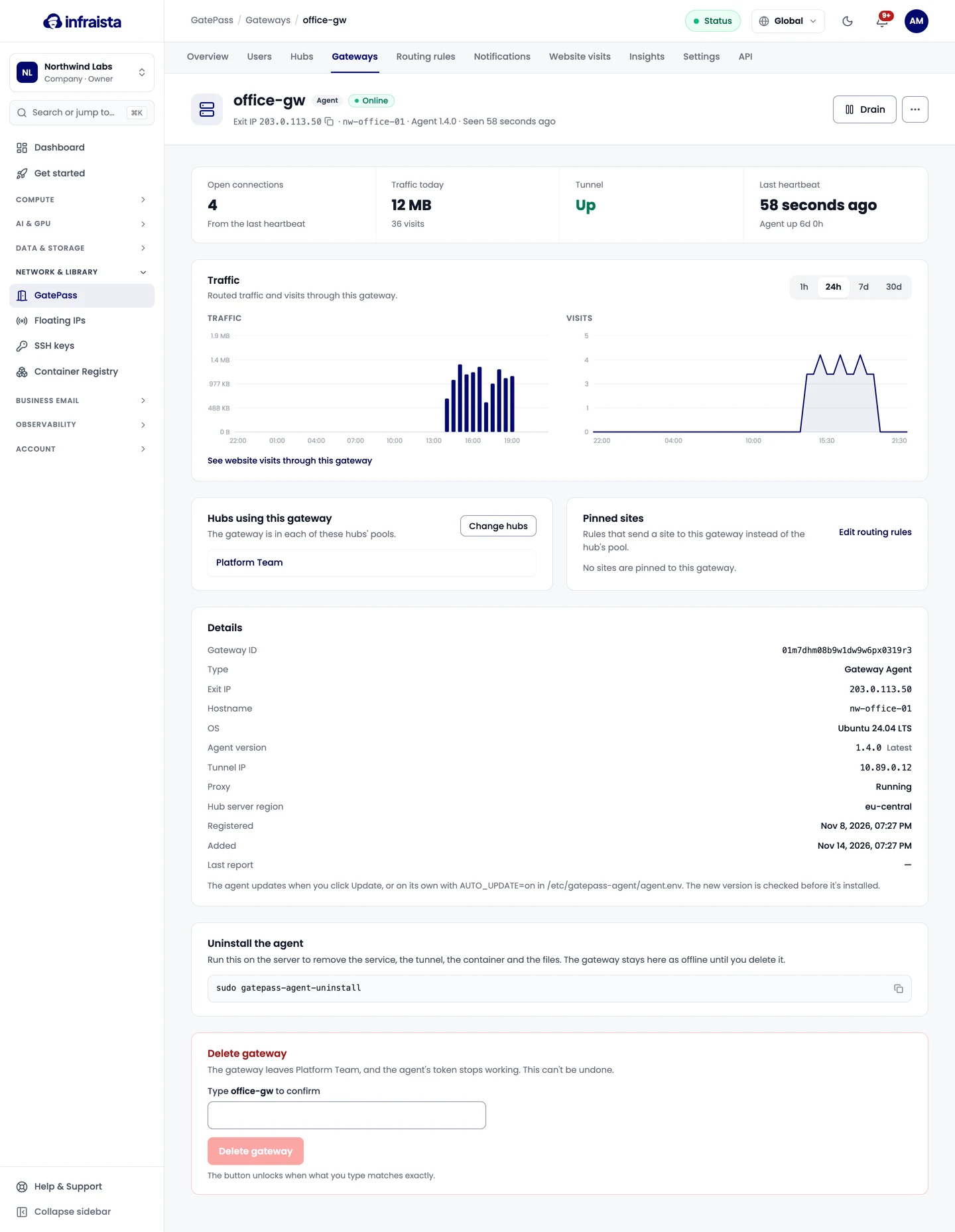
When the agent connects, the gateway shows Online with its exit IP. Add that IP to the allowlists of the sites you route.
Gateway statuses
| Status | Meaning |
|---|---|
| Pending registration | The agent hasn't registered yet: run the install command |
| Online | Sending heartbeats; hubs route through it |
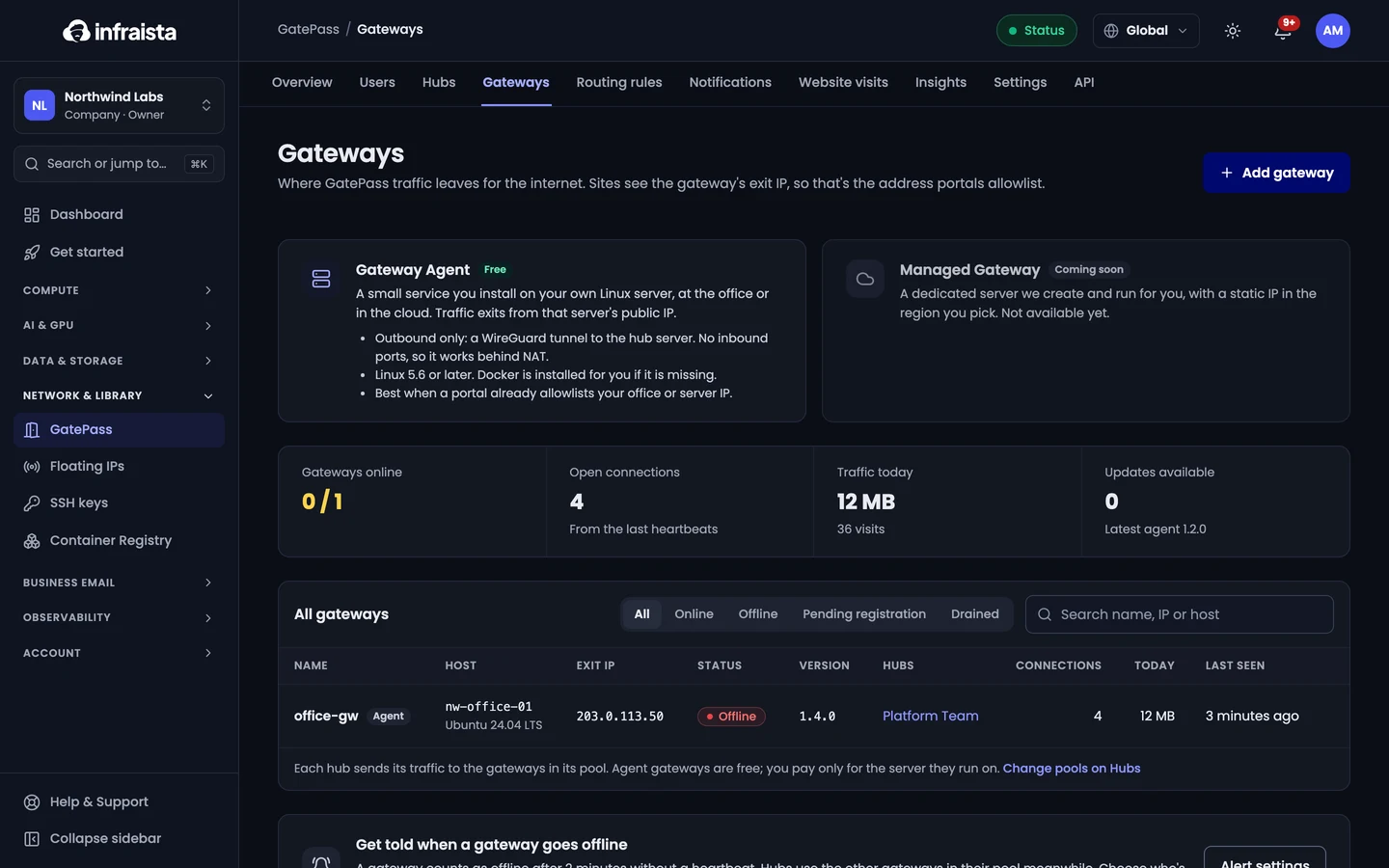
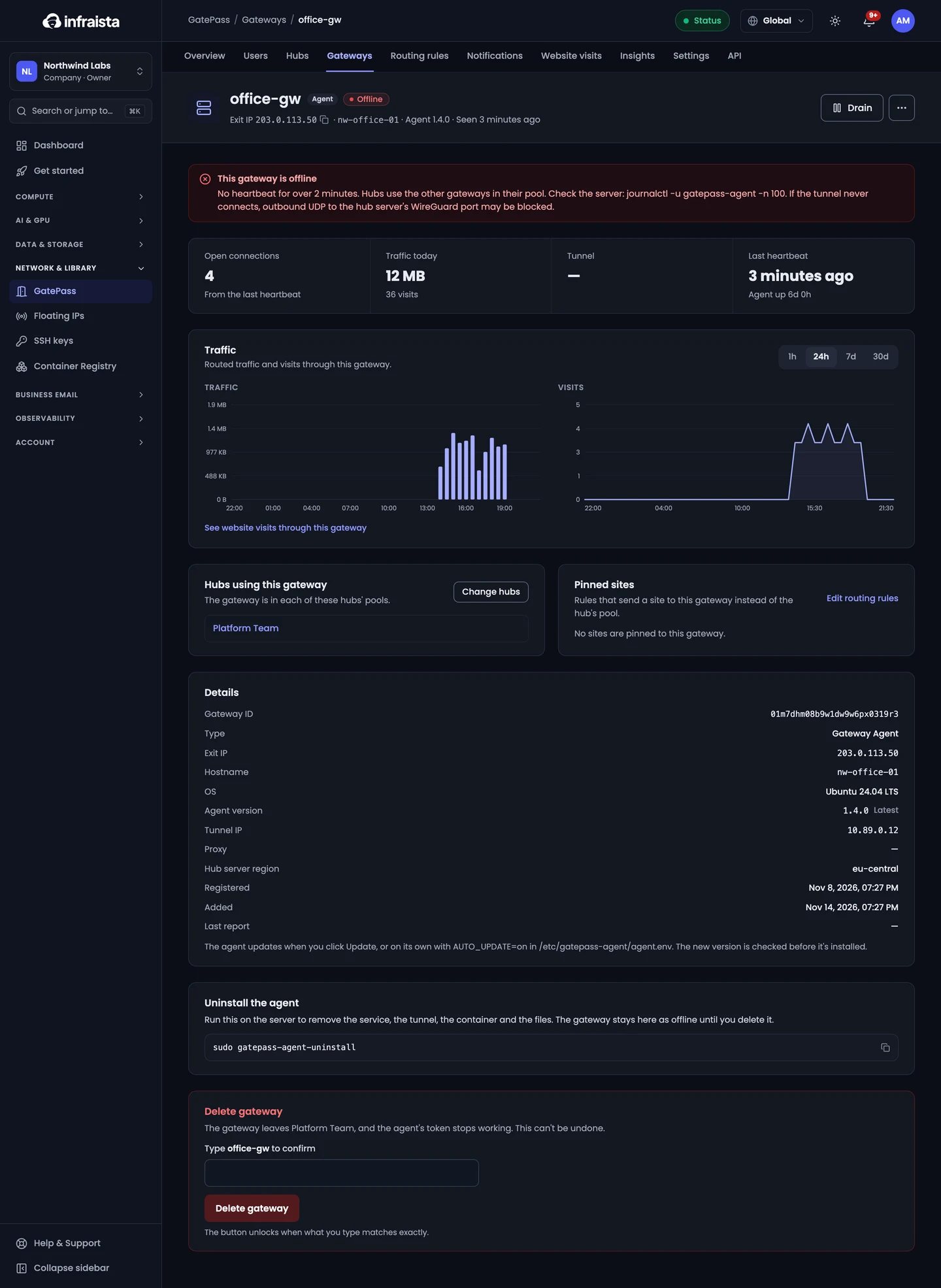
| Offline | No heartbeat for over 2 minutes. Hubs use the other gateways in their pool |
| Drained | Hubs send it no new connections; it keeps its tunnel so you can resume it |
| Updating | The agent is updating; traffic resumes once the new version runs |
If a gateway stays offline, check the server with journalctl -u gatepass-agent -n 100. If the tunnel
never connects, outbound UDP to the hub server's WireGuard port may be blocked.
Drain, reinstall or delete
- Drain: hubs stop sending it new connections; open ones finish normally. Use it before maintenance.
- Reinstall agent: for a new server, or to repair this one. The current agent keeps working until the new install registers. Sites see the new server's IP if it changes.
- Uninstall the agent: run the Uninstall command on the server. The gateway stays listed as offline until you delete it.
- Delete gateway: the agent's token stops working. This can't be undone.
Get told when a gateway goes offline: choose who's alerted in GatePass settings.
Related
Set up GatePass
Name your organization and first hub, connect a gateway, choose the sites to route and invite your team, in the four-step GatePass setup.
Manage hubs
Create GatePass hubs for different teams, choose which gateways each one uses and how it balances between them, set limits, or disable a hub.