

Environments and deployments
Protect production with approvals, allowed branches, wait timers and deploy windows, see every deployment, and roll an environment back to an earlier run.
An environment is where a pipeline deploys, such as staging or production. A job deploys to
one when it names it:
- name: production
  environment: production
  if: branch == main
  steps: [...]
Environments are created the first time a job names them, with no rules. Add rules on the pipeline's Environments tab.
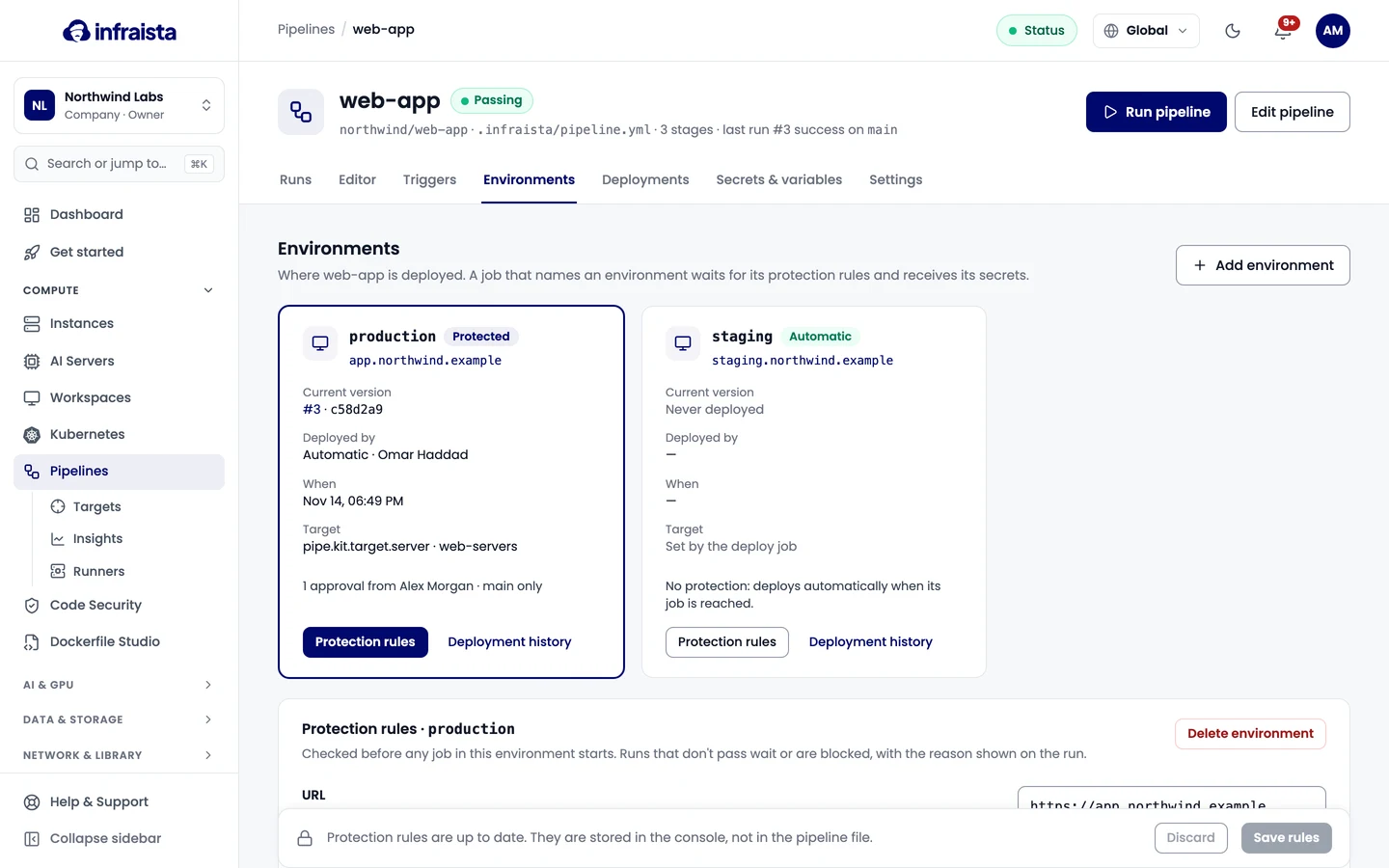
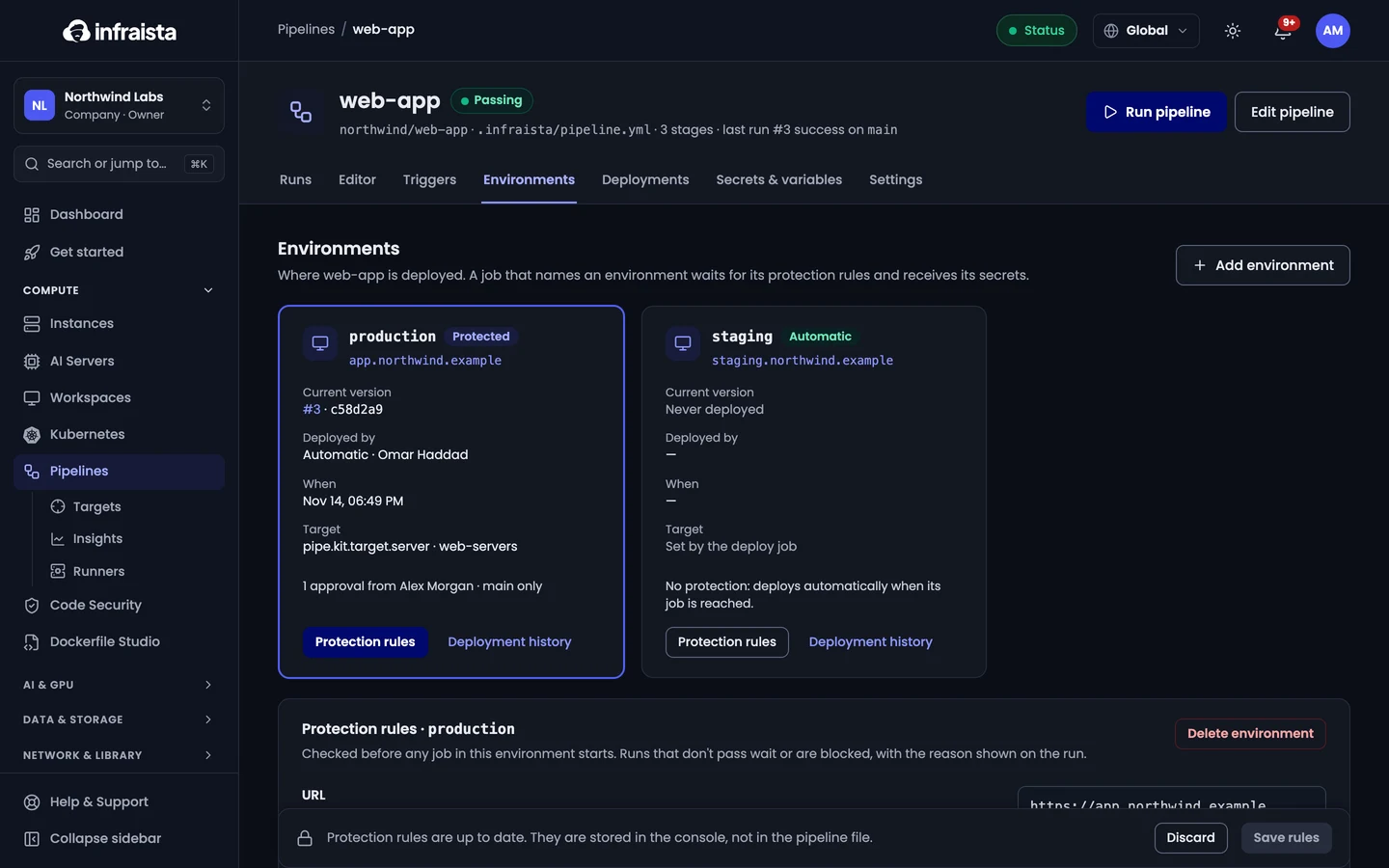
Protection rules
Rules are checked when a job for the environment is ready to start. A job that isn't allowed fails, with the reason shown on the job; one that needs approval or must wait shows as waiting.
| Rule | What it does |
|---|---|
| Required approvals | How many people must approve. 0 deploys straight away |
| Approvers | Who may approve. Nobody ticked: anyone who can manage pipelines |
| Prevent self-approval | The person who started the run can't approve it |
| Allowed branches | Only runs from these branches deploy here (* and ** work). Pull request runs never deploy to an environment with allowed branches |
| Wait timer | Wait this many minutes (after approval, if any) before the job starts, so a deploy can still be cancelled |
| Deploy window | Deploys only start inside these hours; runs that are ready outside the window wait for it |
An environment can also have a URL, shown on the environment and on runs that deploy there.
Approve a deployment
Approvers get a notification in the console (and on the pipeline's notification channels). Open the run and approve or reject the waiting job, with an optional comment. Once enough people approve, the job starts (after the wait timer). One rejection fails the job.
Pull requests from forks can't deploy to an environment that has any protection rule.
Deployments and rollbacks
The Deployments tab lists every deploy job, newest first, with its environment, commit and result.
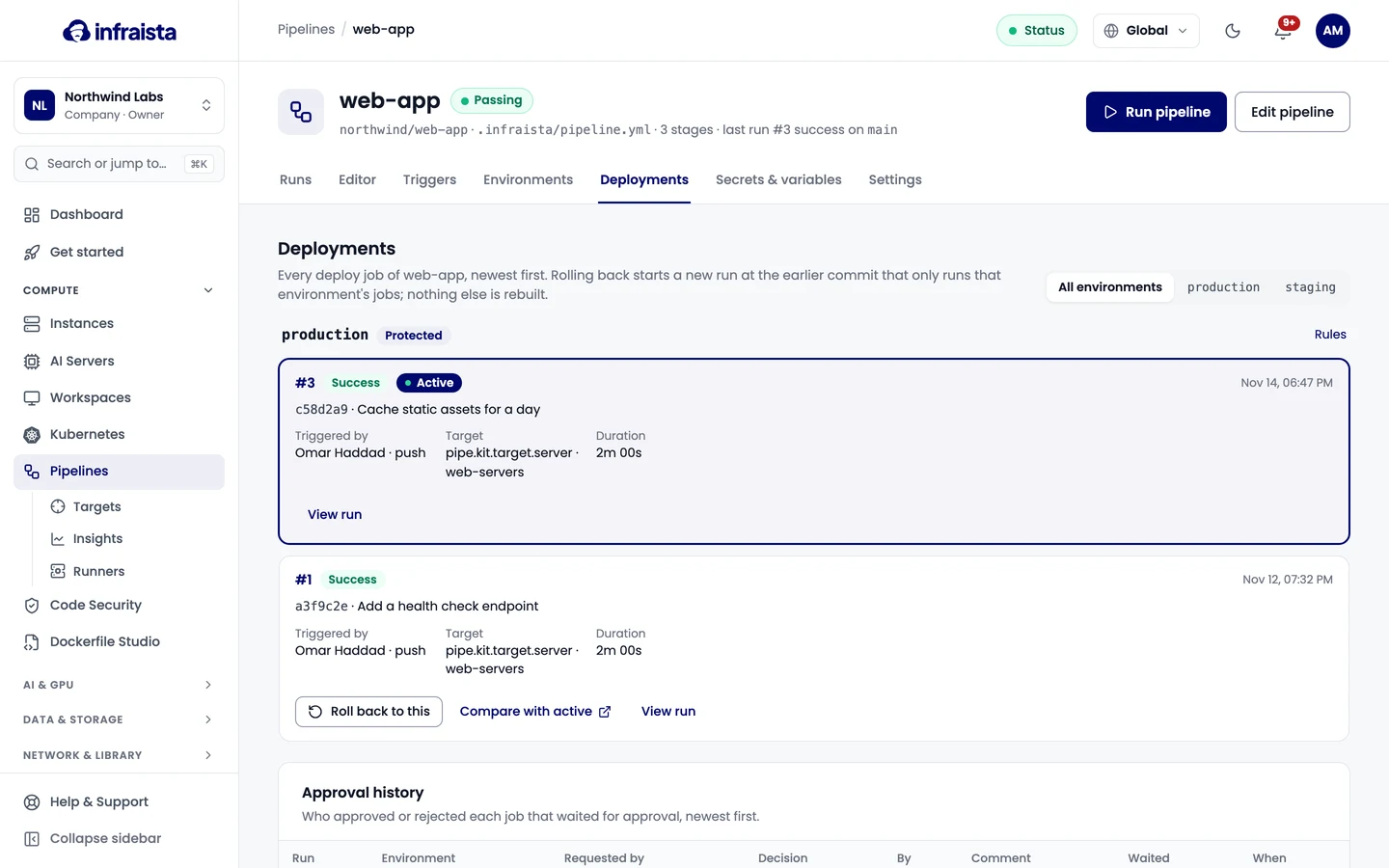
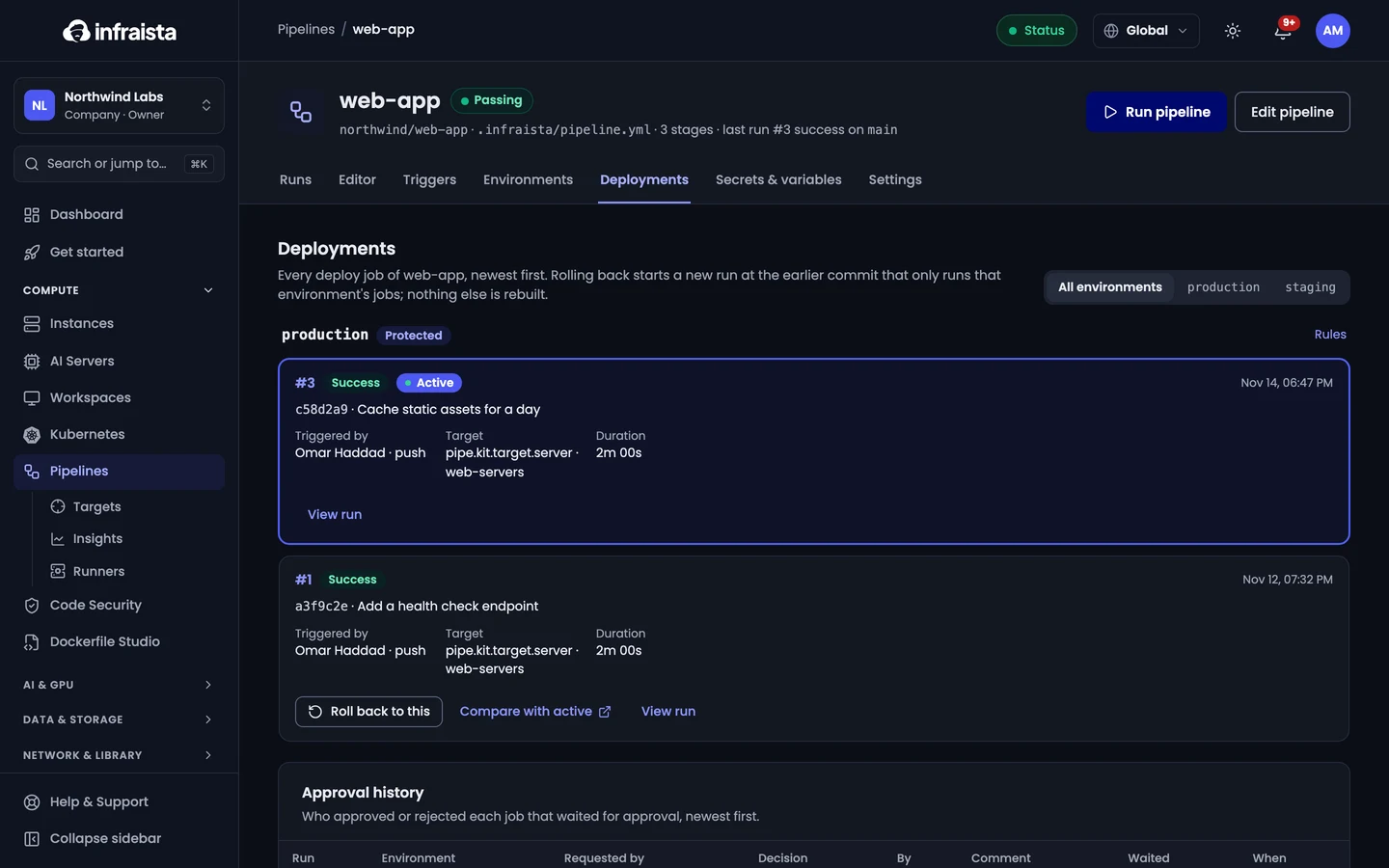
To roll an environment back, select an earlier deployment and confirm. Infraista starts a new run with that deployment's commit and pipeline file. Only that environment's jobs run again; every other job is reused as it ended in that run. Protection rules still apply.
Related
Secrets and variables
Store API keys, passwords and settings for your pipelines per organization, pipeline or environment, use them in the file, and edit them as a .env file.
Deploy targets
Connect the servers, agents, registries and cloud accounts your pipelines deploy to once, then name them in any pipeline in your organization.