

Pipelines
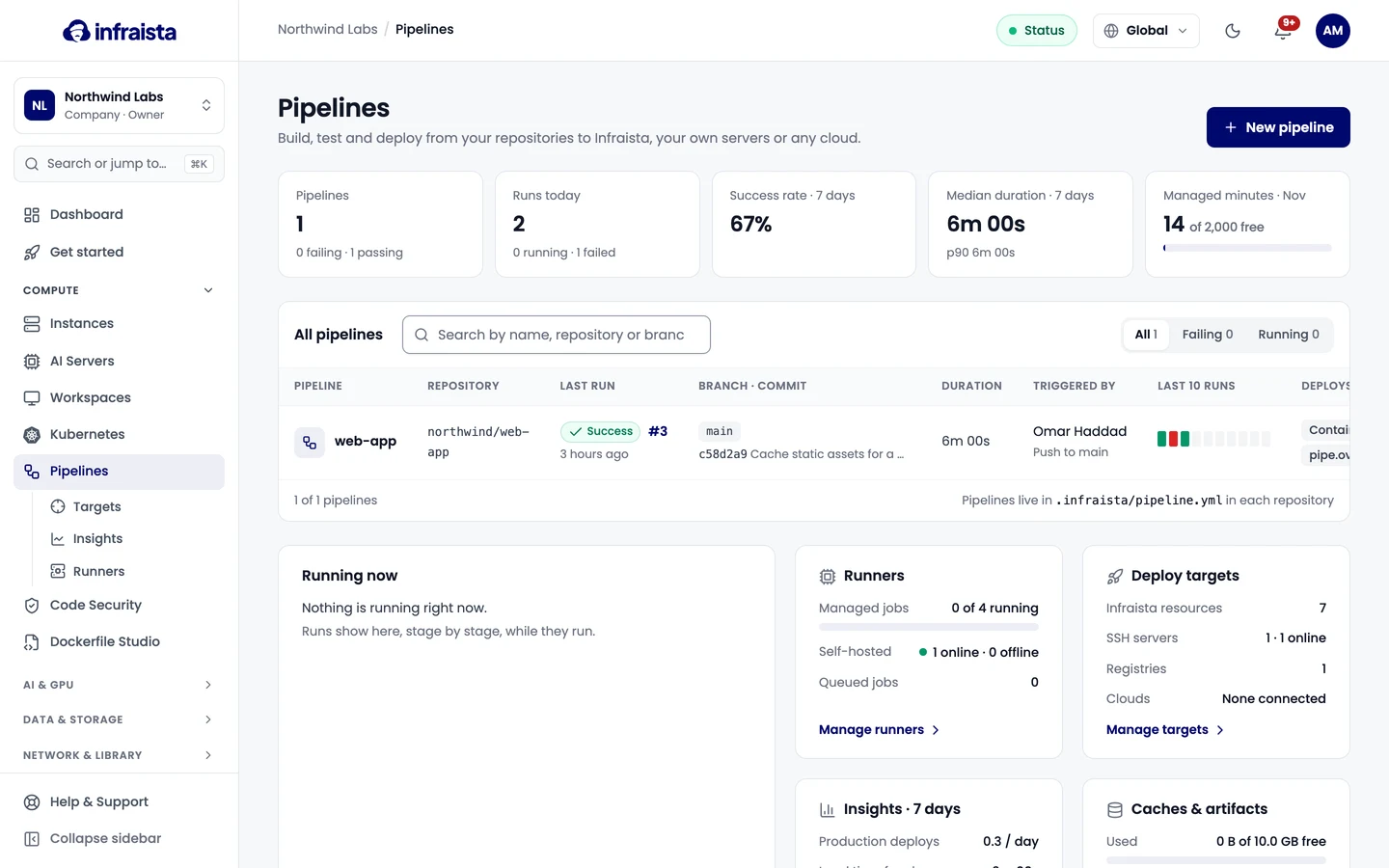
Build, test and deploy from your repositories with a YAML file. Each job runs in a fresh container on a managed runner or on your own machines.
Pipelines runs the jobs described in .infraista/pipeline.yml in your repository on every push,
pull request, schedule or manual run. Each job gets a fresh, isolated container that's removed when
the job ends, and the result is reported back to the commit and pull request as a status check
named infraista/<pipeline name>.
How it fits together
| Part | What it is |
|---|---|
| Pipeline | One repository and one pipeline file. A repository can have several pipelines |
| Stages and jobs | Stages run in order; the jobs in a stage run in parallel |
| Steps | Shell commands (run:) or built-in actions (uses: infraista/checkout@v1) |
| Runners | Managed runners (billed per minute) or your own self-hosted machines (free) |
| Secrets & variables | Values your jobs read, for the organization, the pipeline or one environment |
| Environments | Where you deploy (staging, production), with approvals and other rules |
| Deploy targets | Servers, registries and cloud accounts a pipeline can deploy to by name |
Where to go next
Create a pipeline
Pipeline file reference
Runs and logs
Triggers
Secrets and variables
Environments and deployments
Deploy targets
Pipeline settings
Runners and billing
Self-hosted runners
Developer tools
Build, test and deploy from your repositories, scan code for vulnerabilities and secrets, store container images and generate Dockerfiles with AI.
Create a pipeline
Connect GitHub, GitLab or Bitbucket, pick a repository and a starting point, review the pipeline file and save it as a commit, a pull request or a draft.