

Backup Storage
Storage boxes are fixed-size spaces for backups that you mount over SFTP, WebDAV or FTP, or fill with rsync, BorgBackup and restic, for a flat monthly price.
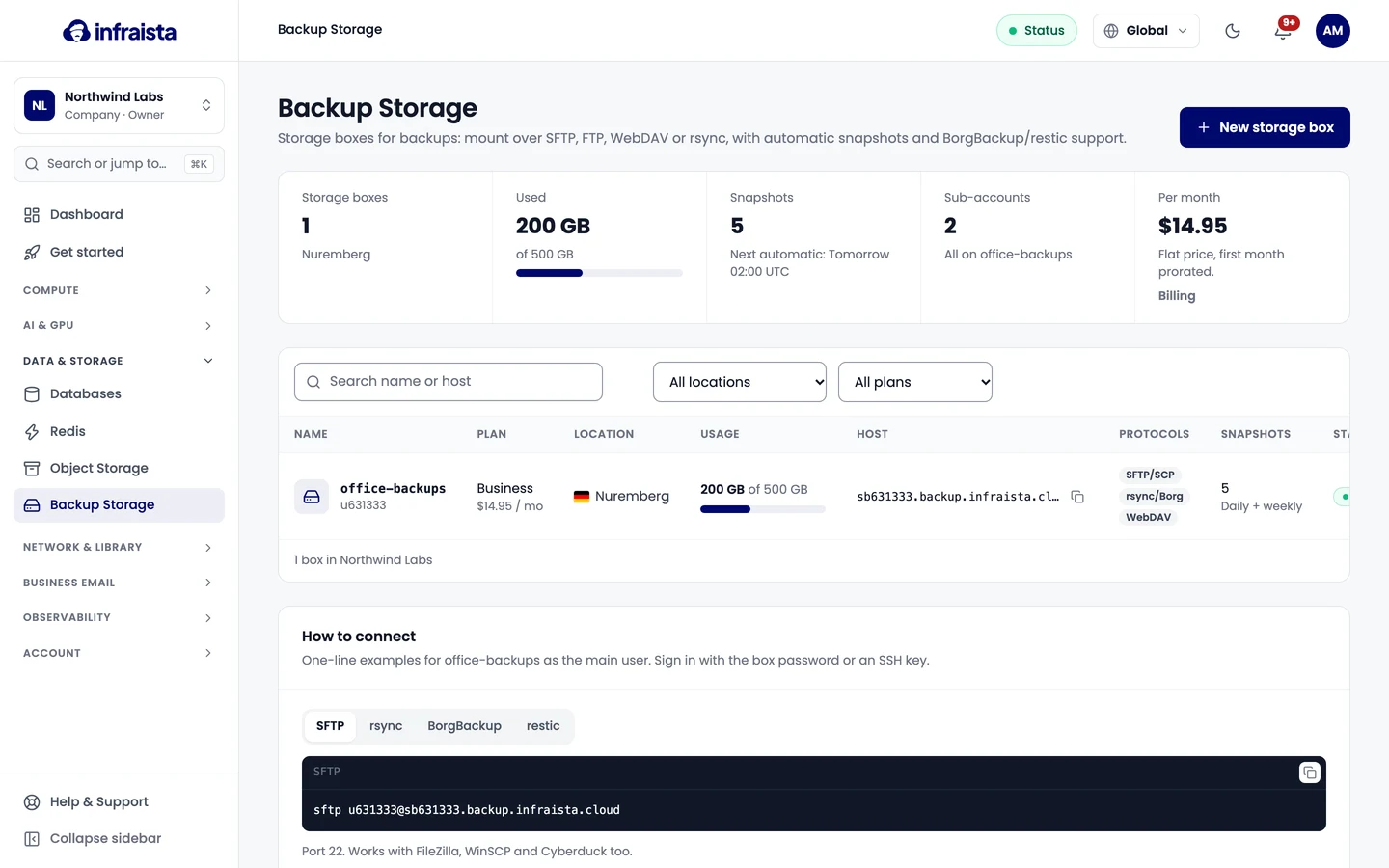
A storage box is a fixed-size space for backups. You mount it like a drive over SFTP, WebDAV or FTP, or send backups to it with rsync, BorgBackup or restic. Every box has automatic snapshots, sub-accounts and an optional web panel, for a flat monthly price with no traffic fees.
Find it in the console under Data & Storage › Backup Storage.
Plans
| Plan | Space | Protocols | Extra |
|---|---|---|---|
| Starter | 250 GB | SFTP/SCP, FTP, rsync/BorgBackup (restic over SFTP) | |
| Business | 500 GB | SFTP/SCP, FTP, WebDAV, rsync/BorgBackup | |
| BusinessPro | 1 TB | Same as Business | |
| Enterprise | 5 TB | Same as Business | |
| Agency | 10 TB | Same as Business | White-label web panel: your logo, colors, domain and email sender |
| Reseller | 20 TB | Same as Business | White-label panel, plus storage boxes for your own clients |
Every plan includes automatic snapshots, sub-accounts and BorgBackup and restic support. Prices are on the New storage box page. You pay monthly; the first month is prorated on your next invoice. You can change the plan later without moving data.
How you sign in
Each box has a host name like sb100001.backup.infraista.cloud and a main user like u100001. The main
user signs in with a password, an SSH key, or both. Sub-accounts
get their own logins, each locked to one folder.
Backup Storage or Object Storage?
Backup Storage is for backup tools: a box you mount and fill, flat price. Object Storage is for apps: buckets over the S3 API, public URLs, billed by usage.
Create a storage box
Connect to a storage box
Back up with rsync, BorgBackup and restic
Sub-accounts
Snapshots and restores
Web panel
Manage a storage box
Usage and pricing
See how much a bucket stores, downloads and costs, read its metrics over time, and understand how Object Storage is billed by the hour.
Create a storage box
Order a storage box for backups. Pick a plan and a location, choose password or SSH key sign-in, the protocols to allow and an automatic snapshot schedule.