

Data & storageObject Storage
Object Storage
Store files in S3-compatible buckets and reach them with the S3 tools you already use, from the AWS CLI and SDKs to rclone and Terraform.
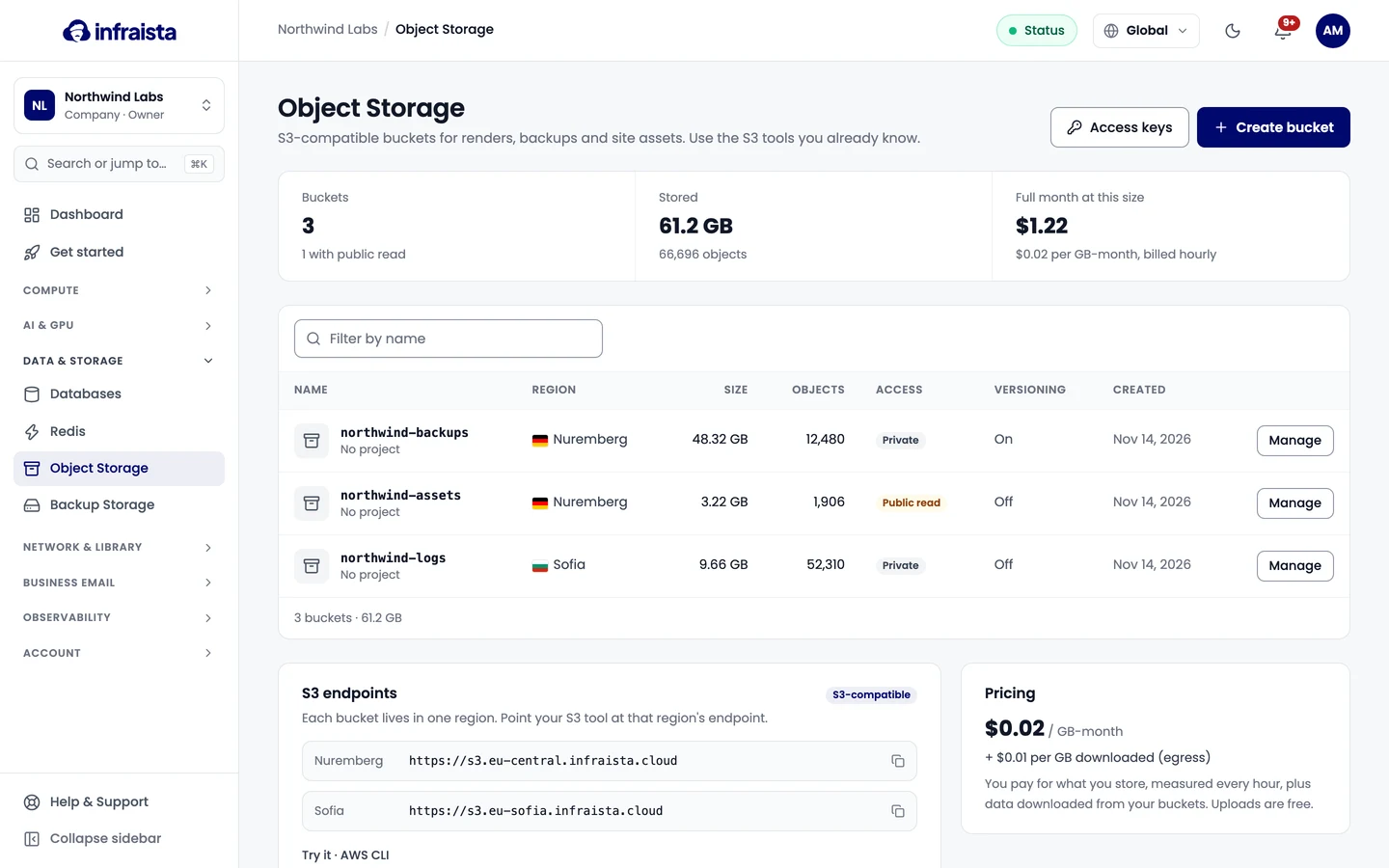
Object Storage keeps files (objects) in buckets. Every bucket speaks the S3 API, so the AWS CLI, S3 SDKs, rclone and Terraform work against it. Use it for renders, backups made by your apps, uploads and site assets.
Find it in the console under Data & Storage › Object Storage.
How it works
- A bucket lives in one region and has its own endpoint. Its name and region can't be changed after you create it.
- Buckets are private by default: only requests signed with your access keys can read or write. You can allow public read on a bucket, or share single files with a temporary link.
- You pay for what you store, measured every hour, plus data downloaded from your buckets. Uploads are free, and an empty bucket costs nothing. See Usage and pricing.
Create a bucket
Create an S3-compatible bucket in Infraista Object Storage. Pick a name and a region, choose private or public read access, and turn on versioning.
Create access keys
Create S3 access keys for Object Storage, limit each key to the buckets it needs with read-only or read-write permission, and revoke keys you no longer use.
Connect your S3 tools
Point the AWS CLI, rclone, Python boto3 or any S3 SDK at an Infraista bucket using its regional endpoint, path-style addressing and your access key.
Browse and share files
Upload, download, preview and delete files in a bucket from the console, restore older versions, and share a file with a temporary link.
Control access to a bucket
Decide who can read a bucket. Switch between private and public read, write a bucket policy, and create presigned URLs to share or receive single files.
Bucket settings
Turn on versioning, set a size limit, add lifecycle rules that delete old objects, allow browser uploads with CORS, tag a bucket, move it to a project or delete it.
Usage and pricing
See how much a bucket stores, downloads and costs, read its metrics over time, and understand how Object Storage is billed by the hour.
Metrics and performance
Watch a managed database's CPU, memory, storage, connections and queries, see live sessions and the most expensive statements, and spot unused indexes.
Create a bucket
Create an S3-compatible bucket in Infraista Object Storage. Pick a name and a region, choose private or public read access, and turn on versioning.