

Developer toolsCode Security
Code Security
Scan every push and pull request for vulnerable dependencies, leaked secrets, risky configuration and license issues, with a check that blocks risky changes.
Code Security scans your repositories on every push and pull request, and every night. Each scan
reports its result to the commit and pull request as the infraista/security status check, so you can
block merging when a change adds something risky.
What it finds
| Scanner | What it checks |
|---|---|
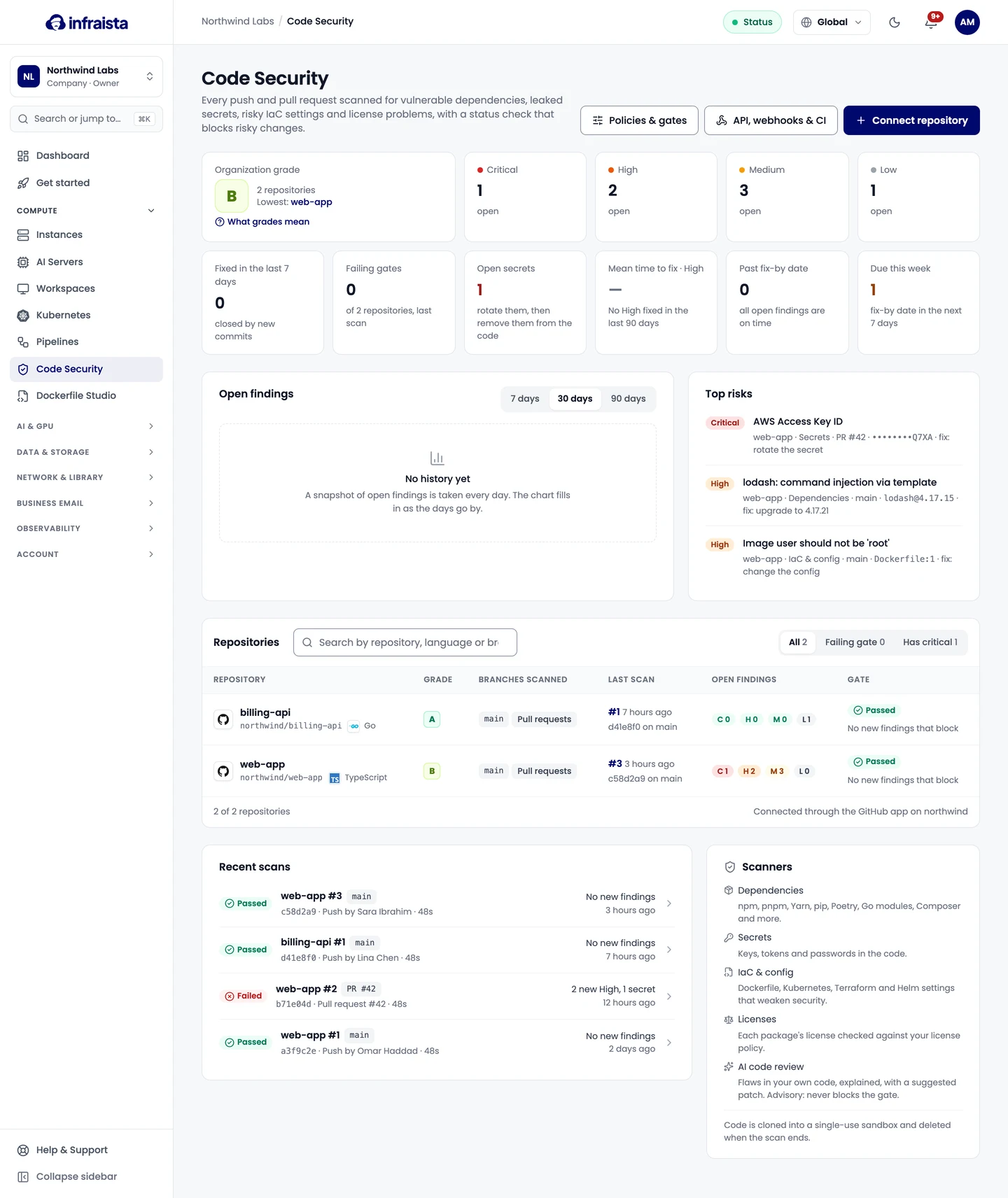
| Dependencies | Package lockfiles and manifests (npm, pnpm, Yarn, pip, Poetry, Go modules, Composer and more) against known advisories, with the version that fixes each one |
| Secrets | API keys, tokens, passwords and private keys committed to the code. Only the last 4 characters of a value are stored |
| IaC & config | Risky settings in Dockerfiles, Kubernetes manifests, Terraform and Helm charts, such as containers running as root or public buckets |
| Licenses & SBOM | Every package and its license, checked against your license policy, with an SBOM (CycloneDX and SPDX) for each scan |
| AI code review | Flaws in your own code (injection, broken authorization, insecure crypto), explained, with a suggested patch. Off by default; its findings never block the gate |
Your code stays private
- Each scan runs in a fresh sandbox that's destroyed when the scan finishes, and the scan container has no network access.
- The cloned code is deleted right after the scan. Infraista keeps findings, not your repository.
- Your code is never used to train AI models.
Where to go next
Connect a repository
Connect GitHub, GitLab or Bitbucket repositories to Code Security, choose the scanners, branches and gate, and start the first scan in a few steps.
Scans and the gate
How Code Security scans a commit, compares it with the branch it targets, decides whether the gate passes or fails, and grades each repository from A to F.
Work with findings
Read a finding, fix it or open a fix pull request, assign it, ignore it with a reason, track fix-by dates, and download the SBOM and reports.
Policies
Set what fails the Code Security gate on each branch, which licenses are allowed, your own secret patterns, how long findings can be ignored, and fix-by dates.
AI code review
Turn on AI code review to find flaws in your own code, such as injection and broken authorization, with explanations, suggested patches and reachability checks.
API, webhooks and CI
Gate deploys on Code Security results in Infraista Pipelines or any other CI, read scans and reports through the API, and get signed webhooks.
Billing and retention
How Code Security is billed per scan and for AI review tokens, where to see this month's usage, and how long scans, logs and findings are kept.
Self-hosted runners
Run pipeline jobs at no charge on your own Linux machines or Docker hosts, such as office servers and GPU workstations, with labels and groups.
Connect a repository
Connect GitHub, GitLab or Bitbucket repositories to Code Security, choose the scanners, branches and gate, and start the first scan in a few steps.