

Use with Pipelines and Kubernetes
Build and push images from Pipelines with registry infraista and no secrets, sign servers in before a deploy, and let Kubernetes clusters pull private images.
Push from Pipelines
The Container Registry is built in to Pipelines as the infraista registry. Each job gets its own
short-lived login, removed when the job ends, so there are no secrets to set up.
- uses: infraista/docker-build-push@v1
  with:
    registry: infraista
    image: registry.infraista.cloud/northwind-labs/web-app
tags: $GIT_SHORT_SHA- The image must be under your organization's namespace.
- Pushing to a new repository name creates it.
- Pull request runs never push.
A repository's Build with a pipeline opens a new pipeline with that image filled in.
Deploy to a server
Add registry: infraista to deploy-ssh, deploy-instance, deploy-agent or deploy-docker: the
job gets a pull-only login, and the server is signed in to the registry before the step runs.
- uses: infraista/deploy-docker@v1
  with:
    target: web-servers
    registry: infraista
    image: registry.infraista.cloud/northwind-labs/web-app:$GIT_SHORT_SHA
    containers:
      - name: web
        ports: ["80:3000"]
See Deploy targets and the file reference.
Pull from Kubernetes
Connect a Kubernetes cluster to the registry, and its pods can pull your private images with no
imagePullSecrets of your own:
- On the Container Registry page, under Connected to Kubernetes, connect the cluster. Or, in a repository's Settings > Pull access, choose which clusters can pull it.
- Infraista puts a pull secret named
infraista-registryin the cluster and adds it to thedefaultnamespace's default service account. - Each
infraista/deploy-kubernetesrun does the same for the namespace it deploys to.
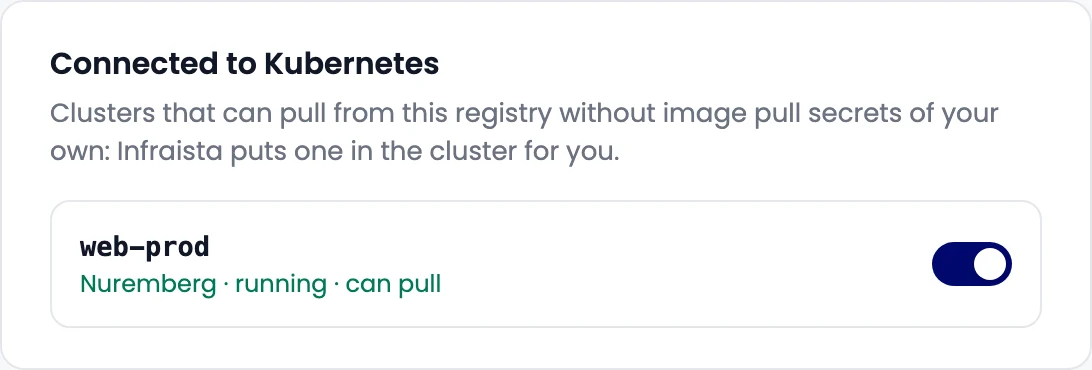
The cluster can pull only the repositories it's connected to, plus public ones. Disconnecting it from every repository deletes its login, so every copy of the secret stops working.
# No imagePullSecrets needed
spec:
  containers:
    - name: web
      image: registry.infraista.cloud/northwind-labs/web-app:2.4.0
Related
Push and pull images
Create a repository in the Infraista Container Registry, make a robot token, sign in with docker login, and push, pull or pin images by digest.
Vulnerability scanning
Turn on vulnerability scanning for your Container Registry to check images for known issues in OS packages and libraries on push, on request and every week.